Liftoff
A common first choice, with racing and freestyle content. On Steam for Windows, macOS and Linux. It needs a dedicated graphics card; Intel integrated graphics are not supported.

FPV basics
By the NVX engineering team, New Delhi · 26 October 2026 · 6 min read
The best FPV simulator is the one you will practise in every day with the same radio you will fly with. For most beginners that means Liftoff or Uncrashed; racers usually move to VelociDrone. A few weeks on a simulator costs far less than the propellers, motors and frames you would break learning on a real drone.
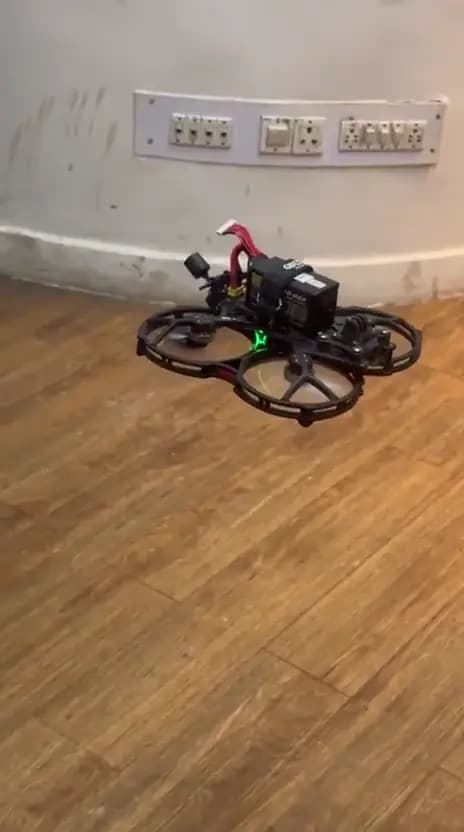
All three are paid simulators; check the store for the current price in rupees.
A common first choice, with racing and freestyle content. On Steam for Windows, macOS and Linux. It needs a dedicated graphics card; Intel integrated graphics are not supported.
Popular for freestyle in large, detailed maps. On Steam for Windows and macOS, with lighter minimum requirements than Liftoff.
The favourite of racers, from micro quads up to big quads, with online and recorded-pilot races. Sold through its own website rather than Steam.
Freestyle or cinematic flying: Liftoff or Uncrashed. Racing: VelociDrone. Many pilots end up owning two.
A simulator only teaches the right habits with the right controls.
Use the radio you will fly with. Most EdgeTX radios can connect by USB cable as a joystick (choose 'USB Joystick (HID)' when you plug in), so no extra adapter is needed.
Check each simulator's minimum requirements before buying. Many budget laptops sold in India have only integrated graphics, which some simulators do not support.
A game controller works, but its short sticks do not build the fine thumb control a real radio needs.
Copy your real drone's rates into the simulator, or start with the default rates and keep them the same later on the drone.
Short, regular sessions beat one long weekend.
Learn throttle control. Hold height steadily and fly slow circles in an open map.
Switch to acro (rate) mode, the mode most FPV pilots fly. Expect to crash a lot; reset and repeat.
Fly around trees and through gaps at low speed. Practise turning with roll and yaw together.
Fly a park or small indoor map. When you can do several clean batteries' worth of laps, move to a tiny whoop.
Real drones feel different: wind, battery sag and video breakup do not exist in most simulators. Start with a tiny whoop or another light drone in a large open space, keep your first flights low and slow, and follow India's airspace rules from day one. A pilot's first few real flights are when crashes are most likely; simulator time is the cheapest way to avoid them.
FAQ
Liftoff and Uncrashed are the usual first choices for freestyle; VelociDrone suits racing. The best one is the one you will practise in regularly with your own radio.
Yes. Most EdgeTX radios connect by USB and appear as a joystick when you choose USB Joystick (HID). Then calibrate the sticks in the simulator.
Yes, but a real radio builds the right muscle memory. Use a gamepad only to try a simulator before buying a radio.
Only if the laptop meets the simulator's requirements. Some need a dedicated graphics card and do not support Intel integrated graphics.
Until you can fly several batteries' worth in acro mode without crashing, then start on a tiny whoop.
Talk to NVX
Call +91 95609 21619, message us on WhatsApp, or visit us in Connaught Place, New Delhi.
Related