Propellers are consumables
DJI describes propellers as consumable components and tells owners to buy more when needed.

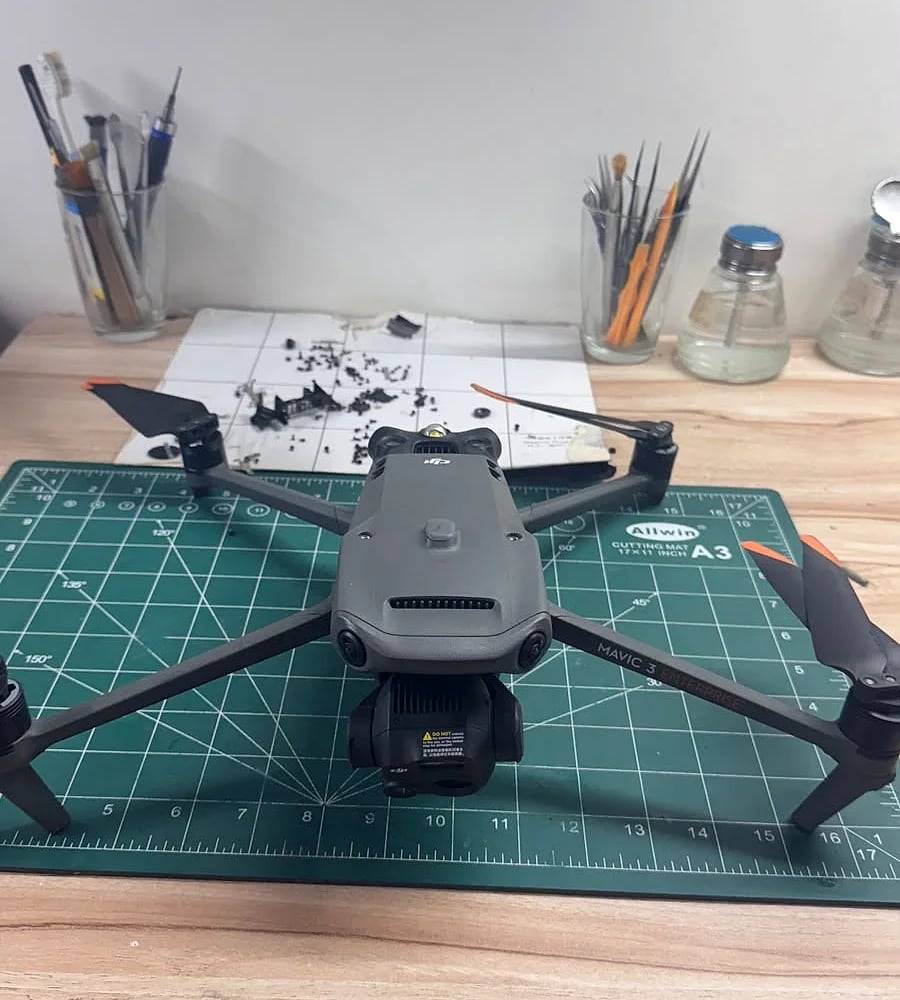
Drone maintenance
Replace a drone propeller as soon as it is chipped, cracked, bent or has hit something hard, even if the drone still flies. The DJI manuals we checked give no fixed number of hours; they say to check the propellers before each flight and never to fly aged, chipped or broken ones. Propellers are consumable parts, and a new set costs far less than the crash a failed blade can cause.
By the NVX engineering team, New Delhi · 24 November 2026 · 6 min read · How we check our guides
There is no universal propeller life. The safest rule is the one in your drone's own manual. As an example, this is what DJI's Mini 4 Pro user manual says; the Mini 2 manual says much the same. Your model may differ, so read its propeller section once.
DJI describes propellers as consumable components and tells owners to buy more when needed.
Make sure all propellers are in good condition before each flight. Do not use aged, chipped or broken propellers.
If a propeller is broken, remove the two propellers and screws on that motor and discard them. Fit two propellers from the same package and do not mix packages.
Use the maker's propellers for that exact model and do not mix propeller types.
DJI says to check that the propeller screws are tight after every 30 hours of flying time, about 60 flights.
Bending or squeezing propellers in transport or storage damages them and affects flight performance.
Take the battery out, then look at each blade under good light and run a fingertip gently along both edges. These are the signs we look for on the bench. Any one of them is enough to replace the propeller.
Any missing material on the leading edge or tip, however small. A nick is where a crack starts.
Fine lines where the blade meets the hub or the folding hinge. This is the part that carries the load.
Compare each blade with a new one or with its partner. A blade that sits at a different angle or does not lie flat has been deformed, often by heat or by being squeezed in a bag.
Pale lines or patches in the plastic show it has been flexed past its limit, usually in a crash or tip strike.
Play in a folding hinge, a worn mounting hole or a screw that keeps working loose.
A drone that suddenly sounds harsher, wobbles in a hover or gives jittery footage often has one unbalanced propeller.
A propeller that has hit a wall, branch or the ground under power should be replaced even if it looks fine.
Most propeller faults we see after a swap come from the wrong position or a loose screw, not from the propeller itself.
DJI says to turn off the battery before replacing or checking propellers, and to remove the battery before servicing the aircraft.
Propellers come in two types that spin in opposite directions. On the DJI Mini series, marked propellers go on the motors of the marked arms and unmarked ones on the unmarked arms. A swapped pair makes the drone flip at take-off.
Change both blades on a motor together, from the same package, so the motor stays balanced.
DJI says to use the screwdriver supplied with the aircraft, because other screwdrivers may damage the screws. Fit the new screws that come with the propellers.
Match each propeller to its motor's direction and tighten the lock nut firmly. FPV propellers bend easily in a crash; replace a bent one rather than straightening it.
After any change, hover low in an open space for a minute and listen for vibration before you fly further.
How you use and store the drone changes how long its propellers last.
Follow the maker's maintenance manual. Where it gives no interval, set your own, record flight hours for each set and change them on that schedule rather than waiting for visible damage.
Look for cracks, chipped edges and layers starting to separate, and check the mounting holes. Clean spray residue off agriculture drone propellers after each day's work.
DJI recommends storing and transporting the drone at 15 to 25 °C. A closed car in an Indian summer is far hotter than that, and plastic propellers left folded or pressed under weight can take a set. Carry the drone with you, not in the boot.
Store the drone so nothing presses on the blades. Do not strap them tightly with a rubber band.
A spare set of original propellers and the screwdriver in the bag means a nicked blade does not tempt you to fly anyway.
Official pages this guide relies on. Rules, prices and specifications change, so check the source before you buy or fly. Links checked 20 November 2026.
FAQ
There is no fixed interval for most camera drones. Replace them as soon as you see a chip, crack or bend, or after any strike. For drones flown for work, follow the maker's maintenance schedule or set one based on flight hours.
Look for chips on the edges, cracks near the hub, a bent or warped blade, white stress marks and looseness at the hub or hinge. New vibration, extra noise or shaky video are also signs.
DJI's manuals say not to use chipped propellers. A small chip unbalances the blade and can grow into a crack in flight, so replace it. A pair of propellers costs much less than a crash repair.
Not always. DJI's Mini manuals say to replace both propellers on the motor with the broken one, using two from the same package. After a crash, check all of them and replace any that show damage.
It depends on the model and size. For most camera drones, a set of original propellers is one of the least expensive spare parts and far cheaper than a motor, arm or gimbal repair. Check the maker's listing for your exact model.
Book a repair
Visit us at C Block, C42/2, 1st Floor, Dwarka Sadan, Middle Circle, Connaught Place, New Delhi, Delhi 110001 (Mon-Sat, 11:00 AM-7:00 PM), or courier your drone from anywhere in India.
Related