Three motors
One motor for each axis. A motor that is blocked or damaged cannot hold the camera, which is what an overload warning reports.

Gimbal problems
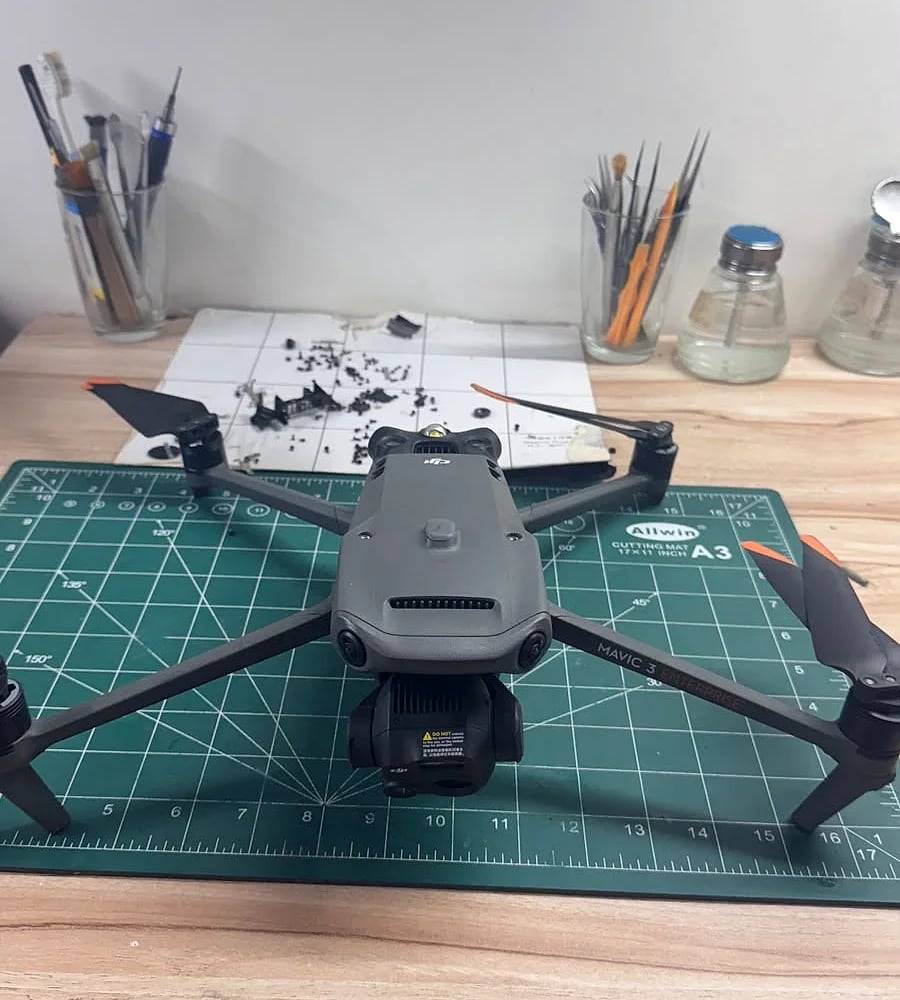
A drone gimbal usually gets stuck or shows an error for one of four reasons: something is blocking it, it was knocked out of line in a bump or crash, a motor or its ribbon cable is damaged, or the drone is too hot. A blocked gimbal can be cleared at home; a knocked or damaged one needs a repair. This guide explains what is inside a gimbal, what each error usually means and the habits that keep it working.
By the NVX engineering team, New Delhi · 23 November 2026 · 5 min read · How we check our guides
A camera drone's gimbal is a small motorised mount that keeps the camera level while the drone tilts and turns. The DJI Mini 4 Pro, for example, has a 3-axis mechanical gimbal (tilt, roll and pan). Each part can fail in its own way.
One motor for each axis. A motor that is blocked or damaged cannot hold the camera, which is what an overload warning reports.
The gimbal measures the camera's angle and corrects it constantly. At power-on it moves through its range to check itself, so a blocked or bent gimbal shows up straight away.
A thin cable carries power and video through the moving joints. It is easy to tear in a knock, which can leave the camera limp or the picture flickering.
Small rubber balls isolate the gimbal from motor vibration. A torn or missing damper causes shaky video rather than an error.
The thin arm that holds the camera. On small folding drones the gimbal sits at the front underside, so it often takes the first hit in a rough landing.
The exact wording differs between DJI Fly, DJI GO 4 and DJI Pilot 2, but the faults behind them are the same.
The gimbal cover is still fitted, something is blocking it, or the arm or a motor was damaged in a knock.
A motor is blocked or straining: the cover left on, sand or a loose filter, a bent arm or a damaged motor. Heat can also trigger it.
The gimbal cannot reach the positions calibration expects. If it stops at the same point every time, suspect a bent arm, a motor or a sensor, not the app.
Common after a drop: a torn ribbon cable or a failed tilt motor. Calibration rarely fixes it.
Usually the dampers, a loose mount or a damaged propeller, not the gimbal motors.
From the drones that come to our repair desk in New Delhi, these are the situations that most often end in a gimbal fault.
The motors try to move against the cover at start-up. Remove it every time before switching on.
A short fall or a tip-over on uneven ground can bend the arm even when nothing looks broken.
Take-offs from fields, building sites and dusty roads throw grit into the gimbal joints.
DJI rates the Mini 4 Pro for -10 to 40 °C. Indian summer afternoons, and drones left in a parked car, can go well past that.
Rain, spray or a wet landing can reach the camera and its cable. Do not power on a wet drone.
Most gimbal faults we see could have been avoided with a few habits.
Fit the gimbal cover whenever the drone is in its bag and remove it before switching on.
Unfold the arms fully and let the gimbal finish its start-up check before you touch anything. A landing pad keeps dust and grass away.
Moving it by hand, especially while powered on, strains the motors. Check for free movement only when the drone is off, and gently.
Fly in the morning or evening in summer, keep the drone in the shade between flights and never leave it in a car.
Look at the dampers, the filter and the gimbal arm. Keep the aircraft firmware up to date.
If the drone has hit something, check the gimbal before flying again. Flying on can turn a small fault into a costly one.
If the error comes back after removing the cover, cleaning the gimbal and running gimbal calibration, or if the drone has crashed, the gimbal probably has a bent part, a damaged motor or a torn cable. Our DJI gimbal calibration error guide has the safe at-home checks step by step. If they do not clear it, NVX inspects the gimbal at its workshop in Connaught Place, New Delhi, or by courier from anywhere in India, and quotes before any work starts.
Official pages this guide relies on. Rules, prices and specifications change, so check the source before you buy or fly. Links checked 20 November 2026.
FAQ
A drop often tears the gimbal ribbon cable or damages the tilt motor, which leaves the camera hanging down. Restart the drone on a flat surface with the cover removed. If the camera still points down, it needs an inspection; calibration will not fix a damaged part.
Yes, it can. DJI rates the Mini 4 Pro for -10 to 40 °C, and Indian summer afternoons or a parked car can be hotter. Let the drone cool in the shade before switching it on again. If the error stays once it has cooled, have it checked.
It is best not to. The drone may still fly, but the camera will not be stable, and the error can mean a damaged part that gets worse. Fix the cause first, especially after a crash.
Only gently, with the drone switched off, to check whether something is blocking it. Never force it and never hold it while the drone is on, because that strains the gimbal motors.
Only if the gimbal is free to move and the problem is alignment. A blocked, bent or damaged gimbal cannot calibrate, so remove the cover and check for debris first.
Book a repair
Visit us at C Block, C42/2, 1st Floor, Dwarka Sadan, Middle Circle, Connaught Place, New Delhi, Delhi 110001 (Mon-Sat, 11:00 AM-7:00 PM), or courier your drone from anywhere in India.
Related