Gimbal calibration failed / calibration error
Auto calibration stops part-way or reports an error.

DJI gimbal error
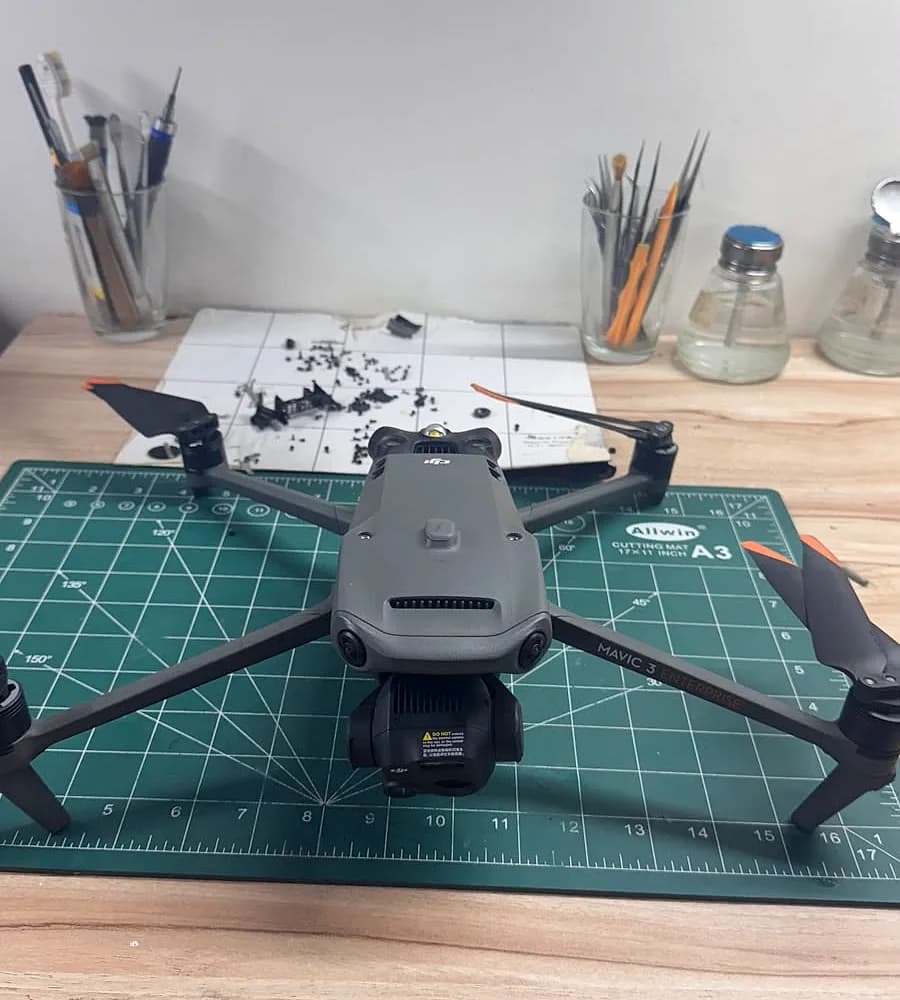
"Gimbal calibration failed", "Gimbal motor overloaded", "Gimbal stuck" or a tilted horizon are among the most common DJI faults we see. Some clear up with a few simple checks. Others mean a damaged gimbal motor, ribbon (flex) cable or camera module, usually after a bump or crash. Here is how to tell the difference.
The wording differs slightly between DJI Fly, DJI GO 4 and DJI Pilot 2.
Auto calibration stops part-way or reports an error.
A gimbal motor is blocked or working too hard to hold the camera.
The gimbal does not complete its start-up movement.
The image leans to one side even after a level adjustment.
Damaged dampers, motor or cable, or a bent gimbal arm.
One axis no longer moves or responds correctly.
Do these before booking a repair. Stop if anything looks bent or broken.
Powering on with the gimbal protector fitted is the most common cause of a motor-overload warning.
Grass, sand or a loose ND filter can block the gimbal. Clean it gently; never force the camera by hand.
Start the drone on a level, steady surface with the arms fully unfolded, then let the gimbal finish its start-up.
In DJI Fly: Settings > Control > Gimbal Calibration > Auto, with the drone on a level surface. Use manual adjustment only for a small horizon tilt.
Update the aircraft and remote controller firmware, then calibrate again.
If the app asks for IMU calibration, do it on a level surface away from metal.
Book a diagnosis if the error comes back after the checks above, or if:
A hard landing can bend the gimbal arm or damage a motor even if nothing looks broken.
Usually points to a motor, position sensor or flex-cable fault rather than software.
A damaged gimbal motor or worn bearing.
Often a torn or loose gimbal ribbon cable.
Do not power on again; bring it in for cleaning and inspection.
We inspect the gimbal arm, motors, dampers, ribbon cable and camera module, explain what failed and quote before any work. After the repair the gimbal is calibrated and the drone is test-flown where safe. We work on DJI Mini 2, Mini 3, Mini 4 Pro, Air 2S, Air 3, Mavic 3, Avata and enterprise models. NVX is an independent repair service, not a DJI-authorised service centre: for in-warranty or DJI Care Refresh cases, DJI's own channel may be the better option.
The same tracked process for every repair, whether you visit or courier the drone.
Model, what happened and a few photos. It takes about three minutes.
Bring it to Connaught Place or send it by courier. Contact us first about damaged batteries.
A technician finds the fault and quotes before any work starts.
Approved work is done, sensors are calibrated, and the drone is test-flown where safe.
Pick it up or get it couriered back, with a summary of the work done.
FAQ
Remove the gimbal cover, check for debris or a loose filter, power on flat with the arms unfolded, update firmware and run auto gimbal calibration in DJI Fly. If it still fails, the gimbal likely has hardware damage and needs a diagnosis.
A gimbal motor is being blocked or strained. The usual causes are the gimbal cover left on, debris, a bent gimbal arm after a crash, or a damaged motor.
Run auto gimbal calibration on a level surface first. If the tilt returns, the gimbal arm or roll motor may be bent or damaged.
Yes. Depending on the fault, the motor, ribbon cable, dampers or the full gimbal camera can be replaced. You get a quote after inspection.
It depends on the model and which part failed. NVX inspects the drone and gives an exact quote before any work starts.
Yes, at our workshop in Connaught Place, New Delhi. Customers from Noida, Gurugram and across India can also courier their drones.
Book a repair
Visit us at C Block, C42/2, 1st Floor, Dwarka Sadan, Middle Circle, Connaught Place, New Delhi, Delhi 110001 (Mon-Sat, 11:00 AM-7:00 PM), or courier your drone from anywhere in India.
Related